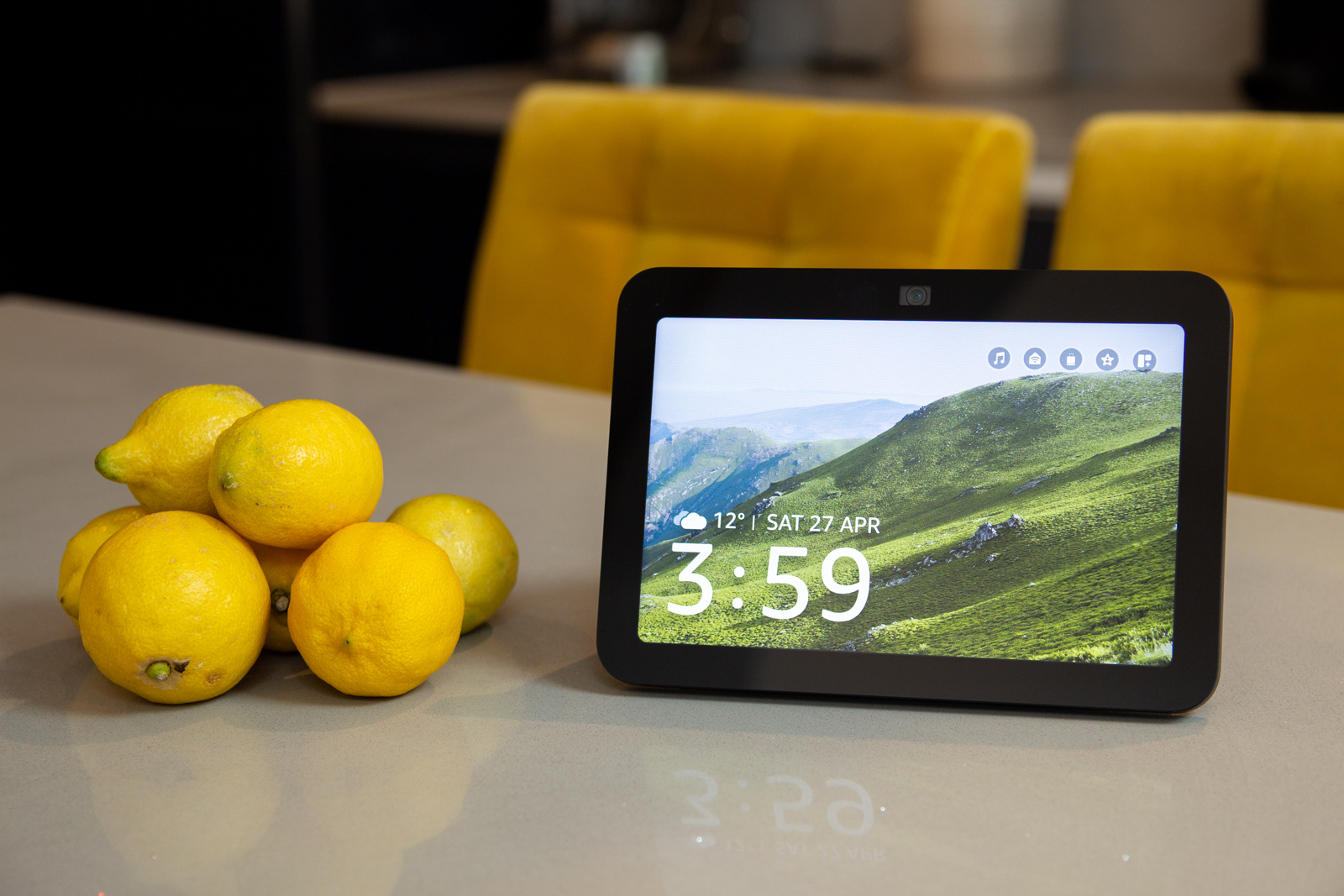
Alexa has ambitions to be on all your devices. The app will give you functionality on your phone, there’s Echo Auto for your car, while Amazon’s hardware offers speakers and displays. This latter option, the Echo Show, comes in four different sizes, offering to bring a visual aspect to your Alexa experience.
I’ve been using the Amazon Echo since it first launched. Living in an Alexa smart home means the Echo Show 8 fits right in. This is why I’d recommend it.
The Disconnekt Downlow
Pros
+ Best of the Echo Show devices
+ Good sound quality
+ Great for smart home control
Cons
– User interface hasn’t evolved
– Performance isn’t hugely fast
The Echo Show 8 (2023) is the pick of the Echo Show devices. It’s an ideal choice for smart home control or anyone who wants an affordable device for music – with wide support from Alexa. There’s a great design and good speaker performance, supported by wide connectivity options.
But the Echo Show 8 hasn’t evolved much from other versions and visually, it feels like the use of the display could be better. With that said, this is the Echo Show that I have in my house and the model I’d recommend that you choose.
The reasons you should choose the Echo Show 8
There are four sizes of Echo Show. The Show 5 is a little small, the Show 15 is expensive and under delivers. The Show 10 is unique, offering a great speaker and display that can move – so it’s ideal for bigger rooms where you might want to look at it from more than one location – but it’s expensive too. The Echo Show 8, then, by a simple process of elimination, is the most logical model to select.


IMAGE CREDIT: THE DISCONNEKT
The Echo Show 8 is also the newest of Amazon’s Show devices, so it’s the most up-to-date, although anyone who has used Alexa will know that the experience is generally universal: the features offered and the responses you get are pretty much the same regardless of the device that you use. But the Echo Show 8 is well connected, equipped with support for a range of smart home protocols (Zigbee, Matter, Thread), as well as Wi-Fi and Bluetooth.
This Echo Show 8 – launched in 2023 – also rocks the most recent design, with a curvy mesh-covered rear that houses the pair of 2-inch woofers that make it sound great. Low tones are boosted by the passive radiator and the performance is actually very good considering the size. Sure, opting for a decent pair of bookshelf speakers or a Sonos Era 100 will deliver a better sound experience, but as Echo devices go, the Show 8 is actually pretty good.
“
Sure, opting for a decent pair of bookshelf speakers or a Sonos Era 100 will deliver a better sound experience, but as Echo devices go, the Show 8 is actually pretty good.
The advantage that the Echo Show 8 offers over an Echo speaker is that you can get visual feedback for your questions, you can glance at the time or the weather – or you can access widgets to control your smart home, for example. This means you can use the Echo Show as a controlling device without having to use your voice. The Echo Hub will also allow this – designed specifically for smart home control – but regular Echo speakers, of course, require you to speak every request – which can sometimes be a little tiresome.
What the Echo Show 8 could do better
While having a display on the Echo Show 8 is ideal, there’s been very little change over the years in what you see. So much so, that for many people, if they aren’t using touch controls on their Echo Show, it might be better to opt for an Alexa speaker instead. Visually, it’s a little small, the UI design feels as though it hasn’t evolved much and there’s little reason from a display perspective to get this model over the older Echo Show 8.
There is a new function called Adaptive Content that made its debut on the Echo 8 in 2023, which will give more detail if you’re closer to the screen. But having used the function of a number of months, it’s not something that’s hugely exciting.
Of course, the Echo Show became popular in recent years because of its ability to make video calls and it’s a simple portal to keep in touch with other family members or Echo Show users. Amazon likes to push the idea of hands-free commands during cooking (and admittedly it’s really easy to set multiple timers on an Echo device), but when it comes to recipes, the experiences are mixed.

IMAGE CREDIT: THE DISCONNEKT
On one hand you can find recipes and have things like the ingredients read to you, but the experience soon goes off the rails and you often have to start again. I have to ask why there’s no option to use a recipe you find on your phone? Sometimes Alexa’s recipe search is limited and if Google has served up the goods, it would be great to send that direct to the Echo Show to display – but you can’t. (With so much talk around AI, in reality you should be able to share a recipe that Alexa can interpret and read to you, but hey, we’re not quite there yet.)
This is also Amazon’s fastest Echo Show, but it doesn’t really give off a sense of power. The touch response won’t match your phone or your iPad, it’s a little slow – and expectations are pretty high these days. Amazon doesn’t source hugely powerful hardware (one of the measures used to keep the price down) and that’s likely the culprit.
Four essential Echo Show 8 specs
8in
Display
The Echo Show 8 sits in the middle of the Show family, alongside 5, 10 and 15-inch models.
2x2in
Drivers
There’s a pair of 2-inch drivers that are surprisingly good at delivering rich audio, so it makes a great speaker.
3rd
Generation
This is the third version of the Echo Show 8, released in 2023. the previous versions appeared in 2019 and 2021.
13MP
Camera
There’s a 13-megapixel camera on the front of the Echo Show 8 with a privacy shutter. It supports Alexa Calling.
A word on Alexa’s smart home skills
Connected devices have been around for some time now. While there’s a lot of talk about compatibility, Alexa has been foundational in modern smart homes. It’s clear that Apple dropped the ball with HomeKit; Matter doesn’t much matter; brand-specific hubs or adapters cause confusion: Alexa basically cut through it all, building bridges as a central controlling force for a massive number of smart home devices.

IMAGE CREDIT: THE DISCONNEKT
Manufacturers, while wanting you to buy their device, pretty much all adopted Alexa’s Skills, allowing Amazon a controlling stake in smart homes. The Echo Show benefits as a smart home controller, the physical extension of the Routines and Skills you might enable in the Alexa app on your phone. But if you want a device to control your smart home, it’s hard to be disappointed with the flexibility that you’ll get from an Echo device and Alexa.
Put the Echo Show 8 on your desk and you’ll be able to tap to adjust lights or view your connected cameras. Could it be better? Yes, but can it currently be beaten for simplicity and support? Not really.


IMAGE CREDIT: THE DISCONNEKT
Should you buy the Echo Show 8?
If you’re in the market for an Echo Show, the Echo Show 8 is the one to get. It sounds better than the Show 5 and Show 15, it’s more affordable than the Show 10 and it’s the nicest design of the lot. If you’re building a smart home and want a device that gives you a visual control, it’s more versatile than the (more expensive) Amazon Echo Hub, while if you just want something to play music and not sound terrible, then it’s perfectly positioned.
The Amazon Echo Show 8 is the best of the Echo Show devices. It’s a great starting point if you’re just getting into Alexa and all the things it will offer, while it’s competitively priced – especially when benefiting from regular discounts – raising the question of why you wouldn’t buy one?
Well, don’t buy one if you’re more interested in sound: the standard Echo speaker sounds better and is cheaper, while the voice services offered by Alexa are universal. Do buy the Echo Show if you want to see your timers counting down, you want to make video calls, or you want to be able to touch to interact.

IMAGE CREDIT: THE DISCONNEKT
FAQs
Yes, the Echo Show 8 has a physical shutter that you can close so the camera cannot be viewed. That’s designed to protect your privacy, but it’s also worth looking at the Drop In functions in the Alexa app if privacy is a concern. While you might want to close the shutter all the time, leaving it open will also allow remote access, so you can use the Echo Show 8 as a device to view your home when you’re away.
Yes, you can access some basic video services on the Echo Show 8, including YouTube – via the built-in browser – or through apps like Netflix or Prime Video. The Echo Show 8 doesn’t offer the Fire TV function that the Echo Show 15 offers. If watching video is going to be one of the prime uses (pardon the pun), then the Show 15 might be better with its larger display – or you might want to consider an actual Fire TV.
Yes. Amazon offers a range of pairing options. Firstly you can use Bluetooth to connect a speaker (why you’d want to is a separate question). But the Echo Show can also be grouped with other Echo devices so, for example, you could play music throughout your house on all your devices. You can also group the Echo Show 8 can also be paired up with the Echo Sub if you want to boost the bass performance of your device.