It’s been a year since I wrote about the Apple iPad Air (M3), and even then, it barely felt like the previous M2 model needed replacing. The Air has always been a dependable middle-ground – the iPad I have and would confidently recommend to almost anyone asking which model to buy. A great display, a slim aluminium build, and more than enough power for everyday tasks. It was doing just fine.
And yet, here we are. The iPad Air (M4) arrives with a performance boost, a memory bump, and a connectivity upgrade that makes it better equipped than the MacBook Pro (M5). But, whether that’s all enough to justify another refresh so soon after the excellent M3 – and whether it’s enough to make you upgrade – is a different question.
The Disconnekt Downlow
Pros
+ Faster performance and more memory
+ Lovely, lightweight aluminium design
+ Great battery life
Cons
– Still no Face ID or OLED display
– LCD instead of OLED and 60Hz refresh rate
– No multi-user support on iPadOS
The Apple iPad Air (M4) is an excellent tablet that cements the Air’s place as the best iPad for most people. The jump to the M4 chip brings performance improvements, the memory increase makes multitasking more resilient, and the addition of Wi-Fi 7 future-proofs this tablet for years to come. If you’re new to iPad or upgrading from an older model, the iPad Air (M4) is an easy recommendation. If you already own the iPad Air (M3), there’s very little reason to upgrade to this model, which is a testament to how good the M3 model already was. The lack of Face ID and OLED display remain frustrating, but neither is a dealbreaker. This is a polished, powerful tablet that earns its reputation as an excellent tablet, even if an unnecessary update for many.
The reasons you should choose Apple iPad Air (M4)
There’s something almost reassuring about how consistently good the iPad Air is, and has been for the last six years. It’s never tried to be the iPad Pro (almost irritatingly if you were hoping for an OLED display or Face ID at a more affordable price). Instead, it does something arguably more difficult: it finds the sweet spot between power and affordability, and it holds it. With the M4 processor, that sweet spot has got a little sweeter.
I can’t say I felt like I was missing out with the iPad Air (M3), but the performance here is excellent. Apps open quickly, multitasking is snappy, and more intensive tasks like photo editing in Adobe Photoshop are fluid. Alongside the bump in processor, the memory has increased from 8GB to 12GB, which is likely to be something those testing the iPad Air (M4) to its limits will appreciate, though an everyday user may not notice.


IMAGE CREDIT: THE DISCONNEKT
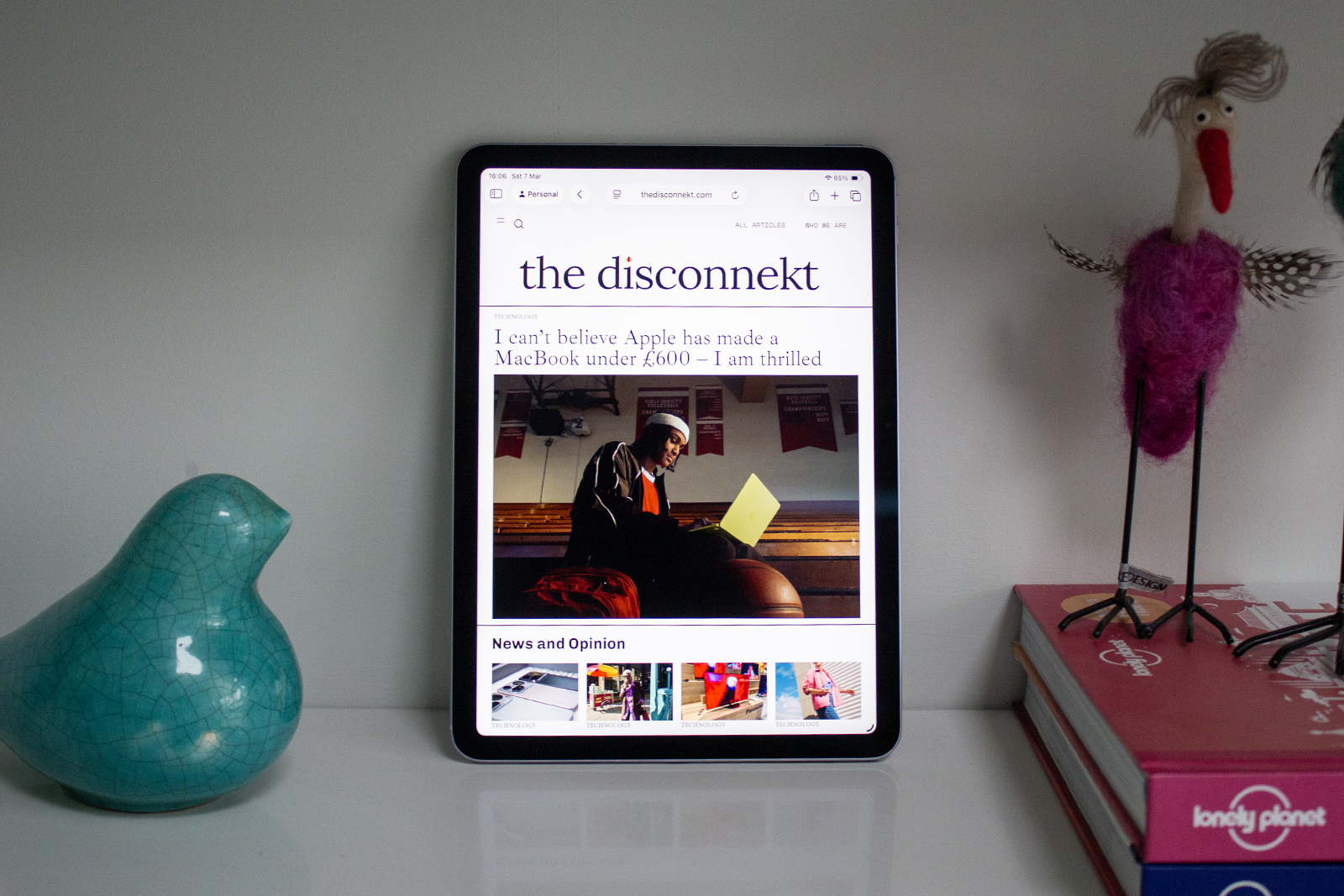
The design remains unchanged, meaning the iPad Air (M4) looks the same as the iPad Air (M1) from 2020. That’s no bad thing with the slim aluminium shell, symmetrical bezels, and four colour options of the iPad Air (M4) making for a great overall design with a lot to love. If you have bought an iPad Air in the last couple of years though, you may find it harder to justify the upgrade as on the surface, there are no differences.
The landscape-oriented front camera introduced on the M2 model hasn’t changed, which is the right call for video calls, and the same 11-inch and 13-inch size options are still available. The 11-inch size I reviewed here is exceptionally portable, though if you’re considering the iPad Air as a laptop replacement or a tablet for predominantly watching content, the 13-inch is the one I’d recommend, along with pairing it with the Magic Keyboard for iPad Air (sold separately). The Magic Keyboard was redesigned for the M3 model, with a larger trackpad, a function key row, and an aluminium spine, and it’s a lovely keyboard for typing.
“
It’s one of those upgrades you won’t notice until you get a router that supports it, and then you’ll be grateful it’s there.
Elsewhere, connectivity is the final element of the iPad Air (M4) to see a meaningful upgrade compared to the iPad Air (M3), courtesy of Apple’s new N1 chip, which brings Wi-Fi 7 and Bluetooth 6 to the iPad Air for the first time. The M3 model had Wi-Fi 6E, which was already quick, but Wi-Fi 7 adds support for the latest Wi-Fi protocols, which is something even the base-level MacBook Pro (M5) left off its spec sheet.
It’s one of those upgrades you won’t notice until you get a router that supports it, and then you’ll be grateful it’s there. Cellular models also have Apple’s C1X modem, which Apple has put in both the iPhone Air and the iPhone 17e. It’s claimed to deliver up to 50 per cent faster mobile data while using less power, though while another nice to have, it’s probably not going to be the sole reason to upgrade to this model.
What Apple iPad Air (M4) could do better
Apple has done a great job of making the iPad Air (M4) faster without making it more expensive, and I’m not going to sit here and suggest that’s anything other than a win. But as another yearly update drops without any huge changes to write home about, there’s a sense that the Air is now being held back from greatness by decisions that are becoming increasingly difficult to justify.
The display is the most obvious of those. It’s a lovely screen – fully laminated unlike the iPad (A16), anti-reflective coated, P3 wide colour, bright and accurate – but it’s still a 60Hz LCD panel in 2026. The iPad Pro moved to OLED a few years ago; before that, it used Micro LED technology. Meanwhile, some mid-range Android tablets, cheaper than the iPad Air (M4), offer higher refresh rates.
Scrolling on the iPad Air doesn’t feel as smooth as it should at this price given the competition, and blacks, while nice and deep, don’t have quite the same depth you get from OLED. A Nano-texture glass option, available on the MacBook Pro (M5) and iMac (M4), would at least have offered something to differentiate this generation from last year’s model.


IMAGE CREDIT: THE DISCONNEKT
Face ID continues to elude the iPad Air, too. Touch ID on the power button has worked reliably since the iPad Air (M1), and it’s not broken — but it’s starting to feel dated compared to Face ID’s fluid, effortless unlocking on the iPad Pro. At this price, it would have made a genuine difference to the overall experience and given those considering upgrading from the M2 or M3 a more compelling reason to move on.
Multi-user support remains absent from iPadOS more broadly, too, regardless of which iPad you buy, whether the iPad (A16) or the iPad Pro (M5). It’s one area where Android tablets still have an edge, and for families or shared devices, it’s an omission I’d love to see rectified at some point.
Four Apple iPad Air (M4) specs
264
Pixels
There are two display sizes for the iPad Air (M4) – 11-inch and 13-inch – with both offering a 264ppi across the LCD panels.
10
Hours
Apple claims the iPad Air (M4) will offer up to 10 hours of battery life for video playback, which I found to be accurate.
12
Megapixels
Both the front and rear cameras are 12-megapixels. The rear has an f/1.8 aperture, while the front is a landscape-oriented f/2.0.
1TB
Storage
Storage options run from 128GB all the way up to 1TB, with 256GB and 512GB in between. There is no microSD support so pick carefully.
A little about iPadOS 26 and Apple Intelligence
The iPad Air (M4) runs iPadOS 26, and while it still doesn’t have the multi-user support you get on macOS, it is a much more consequential software release than iPadOS 18 was.
Headlining the software is a new windowing system that makes the iPad feel considerably closer to macOS. Windows and apps can be freely resized and repositioned in a way that Stage Manager never quite managed, while a dedicated Preview app handles PDFs and document markup, making third-party tools less essential.

IMAGE CREDIT: THE DISCONNEKT
Apple Intelligence is supported here, too, and while we are still waiting for that smarter Siri, there are a number of useful functions that you don’t get on the cheaper iPad (A16). Writing Tools can be helpful for rewriting and summarising text, Clean Up in Photos continues to do a respectable job of removing unwanted elements, like a bin or person, and the Priority Notification feature remains something I didn’t know I needed until I had it.
Smart Script in Notes still quietly neatens your handwriting as you scribble, while Image Playground is there for those who want to use AI for image generation (I don’t know who you are, but you keep doing you). If you use Apple Notes for audio, the transcription and recording tools remain excellent, while the App Store continues to offer a strong selection of iPad-optimised apps giving the Apple’s tablets a clear edge over Android tablets in most categories.


IMAGE CREDIT: THE DISCONNEKT
Should you buy the Apple iPad Air (M4)?
If you’re new to iPad, or coming from an older model like an M1 Air or an older iPad (9th or 10th generation), the iPad Air (M4) is an excellent tablet and an easy recommendation. The combination of M4 performance, extra RAM, Wi-Fi 7 connectivity and iPadOS 26 gives you a tablet that will be capable and relevant for years.
If you own an iPad Air (M3), the case for the iPad Air (M4) is much harder to make. The performance gains are real, the memory bump is meaningful for power users, and Wi-Fi 7 is a nice addition – but none will change how your current device feels in daily use. The display is identical. The design is identical. Touch ID remains in the power button and Face ID remains on the iPad Pro. There’s nothing here that will make the M3 feel inadequate.
The iPad Air (M4) maintains the Air’s well-earned status as the best iPad for most people. The ongoing absence of Face ID and an OLED display are genuine omissions at this price, and multi-user support continues to be a gap that Apple should address at the iPadOS level. But none of that changes the fact that this is a polished, powerful and very well-rounded tablet. If you want something that does everything well and never gets in the way, the iPad Air (M4) won’t let you down.

IMAGE CREDIT: THE DISCONNEKT
FAQs
The iPad Air (M4) upgrades the processor from M3 to M4, increases RAM from 8GB to 12GB, and adds Wi-Fi 7 and Bluetooth 6 via Apple’s new N1 chip. Cellular models gain the C1X modem for faster mobile data. The display, design, colours, storage options and overall dimensions are otherwise unchanged.
Probably not, unless you specifically need more memory for creative workflows or you want Wi-Fi 7 ahead of a router upgrade. The performance gains are real but unlikely to change daily use for most people. If you have an M1 or older iPad Air, the upgrade is much more compelling.
Yes. Like the iPad Air (M3), the M4 model supports the Apple Pencil Pro and the Apple Pencil (USB-C). It is not compatible with the Apple Pencil (2nd generation), which uses a different charging and pairing mechanism.
The iPad Air (M4) is available in Blue, Purple, Starlight and Space Grey – the same four finishes as the M3 model.