When Steve Jobs first announced the MacBook Air in 2008, it was an iconic moment and one that has gone down in history. The super slim laptop was pulled out of a manilla envelope on stage at the Macworld conference, highlighting just how thin and lightweight a laptop could be. The wedge design we saw back then remained for many years – changing slightly to accommodate slimmer display bezels – but on the whole retaining similar principals to the 2008 model.
That remained true until 2022, when Apple revealed the MacBook Air (M2) that not only offered a processor upgrade, but a design overhaul. That design was then adopted by the first 15-inch MacBook Air that appeared during Apple’s developer conference in June 2023, the model I’ve reviewed here. After using it for 8 months until the MacBook Air (M3) arrived, is the MacBook Air 15-inch (M2) still as exciting as it was back then?
The Disconnekt Downlow
Pros
+ Premium design and display
+ Powerful performance
+ Exceptional battery life
Cons
– Notch could be reduced
– Limited ports compared to Pro
The Apple MacBook Air 15-inch is an excellent laptop for everyday users, offering a premium design, stunning display, powerful performance, and an exceptional battery life. It doesn’t match the MacBook Pro in terms of power for intensive tasks like continuous video editing, but it is a very reliable choice for average users – even with the new M3 model now available. The notch at the top of the display could be reduced, a few more ports could be added, and there is of course the M3 model to consider. None of that takes away from the fact that the MacBook Air, regardless of size, proves to be a dream laptop for everyday use however, and one I would recommend wholeheartedly.
The reasons you should choose the Apple MacBook Air 15-inch (M2, 2023)
If I told you how excited I was about the 15-inch model of the MacBook Air when it was announced, there’s a good chance you would judge me. If I then went on to tell you it was almost as exciting to me as the Vision Pro (which I have seen and experienced), there is no doubt you would question my sincerity. But having used the MacBook Air 13-inch (M2) since July 2022 and loved it, the idea of the same but with a larger display was pretty much everything I could have asked for at the time. So I stand by what some would have said was unwarranted excitement.
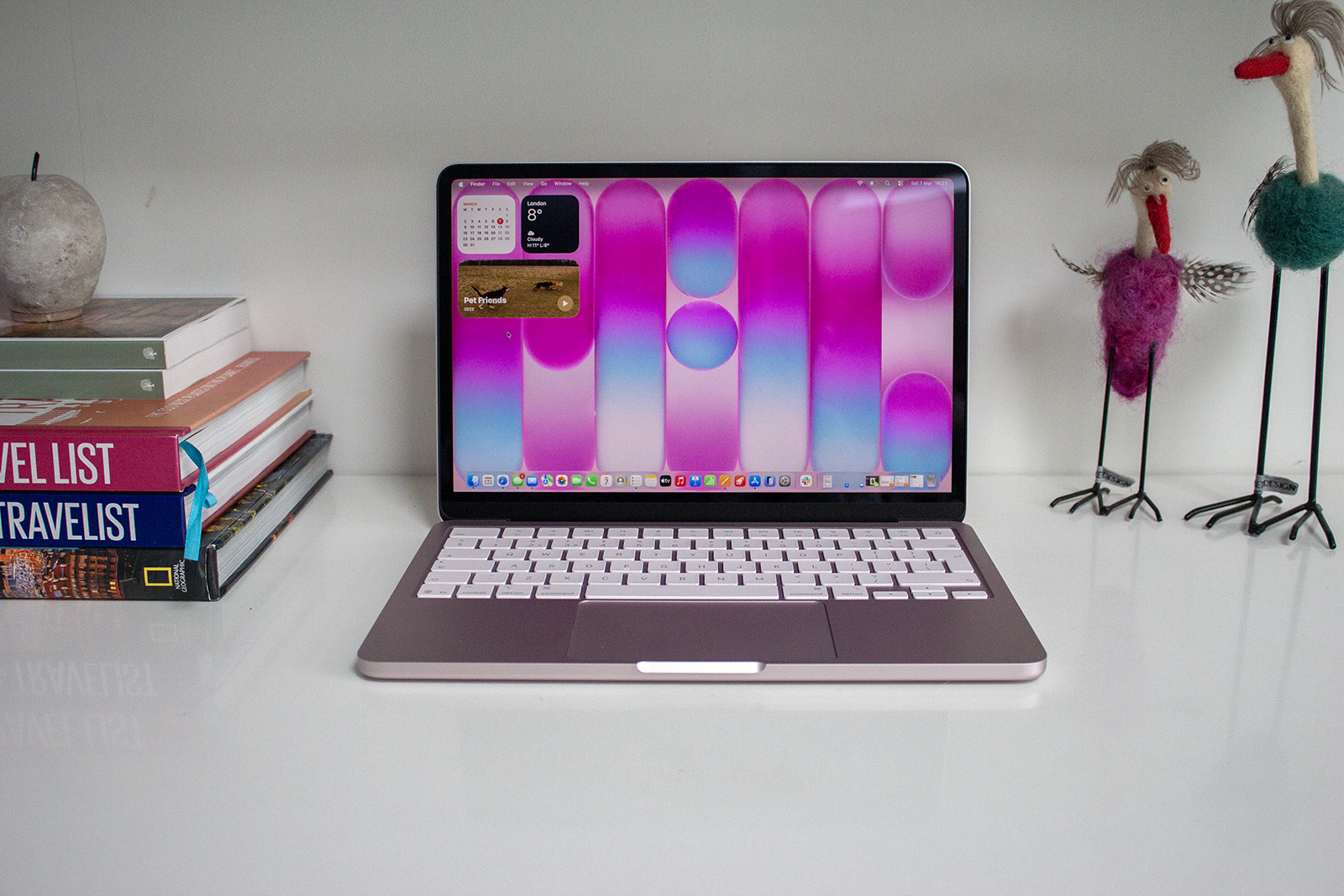
The MacBook Air 15-inch was – and continues to be – a standout laptop, excelling in various aspects that cater to the needs of everyday users – which includes myself. The design change from the original wedge won’t please everyone, but it’s one I have been in favour of. The sleek aluminium unibody is solid and sturdy and I love the symmetry it offers. Don’t get me wrong, the wedge was cool but it was time for a change. It’s also so wonderfully light compared to the MacBook Pro models that carting it around is less drama than my make up bag.


IMAGE CREDIT: THE DISCONNEKT
There are four colours – Midnight, Starlight, Silver and Space Grey – all of which are prone to a fingerprint so keep that cleaning cloth handy. They all have the Magic Keyboard with its full-height function keys and Touch ID fingerprint scanner and they all have the responsive trackpad at the bottom. The Touch ID key comes in a lot more useful than you would ever anticipate – it can be used for Apple Pay, unlocking passwords saved on your Mac and unlocking the laptop in general, while the Magic Keyboard itself provides a very comfortable and efficient typing experience – I should know, I do type all day to pay the bills after all.
The 15.3-inch display is one of Apple’s Liquid Retina screens and it not only offers a decent resolution for a sharp and detailed view, but it’s vibrant and bright too, ensuring everything looks glorious, from a photo you’ve taken on your iPhone to whatever Netflix series you’re binging. There is a notch at the top, which houses a FaceTime HD camera, and there are slim black bezels (around 5mm) around the edges.
“
Where the MacBook Air 15-inch is really worth its weight in gold however, is battery life.
Overall performance – whether for everyday tasks like writing, or more demanding tasks like image editing – is excellent thanks to Apple’s M2 processor running the show. If you dive into the specs you’ll find an 8-core CPU and 10-core GPU, along with a 16-core Neural Engine, but what that means in reality is a smooth and responsive experience whatever you’re doing. The fanless operation adds a touch of tranquility to its performance too, distinguishing it from its MacBook Pro counterparts.
Where the MacBook Air 15-inch is really worth its weight in gold however, is battery life. I used this laptop since it launched in June 2023 right up until March 2024 and in that time I never got battery anxiety and I never brought a charger around with me if I was out for a day, which speaks volumes. I typed non-stop on a 10-hour plane journey multiple times and I’d get off with more than 50 per cent remaining every time. Image editing sees it deplete a little quicker than general tasks – like the MacBook Air (M3), but it’s still absolutely superb at lasting for the day without breaking any kind of sweat.
What the Apple MacBook Air 15-inch (M2, 2023) could do better
I have very little to complain about the MacBook Air 15-inch based on my daily experience with it, though I suppose if I was being picky, I’d love to see the notch go for a future model. It is something you get used to – just like it was on the iPhone models until those switched to Dynamic Island – but it would still be great to see an uninterrupted screen at the top.
I wouldn’t say no to the screen being touch-enabled too. This isn’t something I necessarily yearn after in daily use, but if you have ever worked on an iPad Pro and then switched back to a Mac, you do miss the convenience of just being able to tap the display with your finger rather than navigating the trackpad to get to where you want to be. I think we are still quite some time away from a touchscreen MacBook despite many Windows PCs offering the functionality, but there’s no harm in a little bit of hope.


IMAGE CREDIT: THE DISCONNEKT
The last improvement I’d love to see is a couple of extra ports. The MacBook Air 15-inch has a MagSafe 3 port for charging, along with two extra Thunderbolt 4 (USB-C) ports, but it misses out on HDMI and SDXC – both of which are offered on the MacBook Pro models.
Of course some distinction between the models is only natural – it’s the same for the iPad models and the iPhone models – but I did miss the SDXC (SD reader) slot when I switched back to my MacBook Air after reviewing the MacBook Pro. There will be a number of you who would choose the HDMI port instead of the SDXC port given a choice, and a dongle is available for both so it’s not a huge issue, but either would be a nice extra.
A little about macOS Sonoma
The MacBook Air 15-inch launched on macOS Ventura software but it has since been updated to macOS Sonoma, which is a free upgrade. Apple used to charge for macOS upgrades – I still remember my dad paying £13.99 to update my MacBook to OS X Mountain Lion back in 2012 – but you now get the extra features and functions the new software brings for nothing.
With macOS Sonoma that includes desktop widgets, which is something I use all the time. Having my calendar and the reminders app accessible on my desktop is perfect for being able to see what I need to do and what I have going on that day – and they are interactive too so I can click on them to open the apps or tick off items on my list. There are of course a number of other widgets available, but those are the two I use, along with weather and world clock.

IMAGE CREDIT: THE DISCONNEKT
Being able to create profiles on Safari was also a new feature introduced on macOS Sonoma, and this is another one I use regularly. It means you can have a work profile and a personal profile for example, separating your tabs, history, cookies and favourites.
There are a number of other extra additions, such as being able to start working in Notes and sending it to Pages (it’s better than you might think), or autofilling PDFs using the information stored on your Mac, and Communication Safety, but on the whole, the software experience is exactly as Mac users would expect, and easy to navigate for newbies.


IMAGE CREDIT: THE DISCONNEKT
Should you buy the Apple MacBook Air 15-inch (M2, 2023)?
The Apple MacBook Air 15-inch is a brilliant laptop for the everyday user. It’s not as powerful as the MacBook Pro which is better for more intensive tasks like continuous video editing thanks to the more powerful M3 Pro and M3 Max chips, as well as the fan for cooling. It’s also slightly less powerful than the new MacBook Air (M3). But if you’re an average user who wants a laptop that won’t let you down, the MacBook Air 15-inch is excellent and cheaper too now with the launch of the M3 model.
The notch could be reduced at the top, a couple of extra ports could be added and there is the MacBook Air M3 model I just mentioned to consider, running the M3 chip like the iMac. With all that said however, the MacBook Air (M2) – whatever size you pick – offers a premium design, stunning display, powerful performance and an exceptional battery life, all of which make it a dream laptop for everyday users.

IMAGE CREDIT: THE DISCONNEKT
FAQs
The main differences between the MacBook Air 15-inch (M2) and the MacBook Air 13-inch (M2) is the display size, physical size and price. They both have up to 24GB memory, up to 2TB SSD and both come with the same design and keyboard. The MacBook Air 15-inch has a six speaker system compared to the 13-inch’s four speaker, and the 15-inch also has a 10-core GPU as standard but you can spec the 13-inch model to have that too.
The MacBook Air 15-inch (M2) sits between the two models of the MacBook Pro, and it also runs on the M2 chip compared to the M3 Pro and M3 Max chips in the Pro models. The Pro models are heavier than the Air, but they have more ports, up to 8TB of storage, up to 128GB of memory, up to a 16-core CPU and up to a 40-core GPU so they are significantly more powerful – and significantly more expensive too.
The MacBook Air 15-inch is available in four colours: Midnight, Starlight, Silver, and Space Grey. The Midnight and Starlight models are the more interesting, while the Silver and Space Grey options are more standard, with MacBooks having been available in these colour options for a number of years.