The Apple Watch has been on a staple on my wrist for the last decade. I can count on one hand how many times I haven’t worn it, with one of those my wedding day so that should give you some indication as to the standard of event that will see it removed from my arm.
I loved the Watch Series 10 that was announced last year. The slimmer design has been a real delight to wear over the last year and I am completely sold on the polished gold titanium, even if it is incredibly expensive.
I’ll admit then, when the Apple Watch Series 11 was revealed this year, I wasn’t blown away. Not because the Series 11 isn’t a great smartwatch, because that it still is. But because the changes compared to the Series 10 are minimal. Still, if you’re considering an Apple Watch for the first time or you’re upgrading from an older model, like the Series 8 or earlier, there’s plenty to love.
The Disconnekt Downlow
Pros
+ Light, comfortable design
+ Excellent health and fitness features
+ Improved battery life
Cons
– Titanium model is expensive
– Lacks a daily readiness/energy score
– Not a major upgrade over the Series 10
The Apple Watch Series 11 is an excellent smartwatch, just like its predecessor was. It’s a fantastic daily companion that continues to nail the essentials, while introducing a couple of thoughtful new health features. If you’re new to the Apple Watch ecosystem or are finally upgrading from an older model, the Apple Watch Series 11 is a no-brainer. But if you’re rocking last year’s Series 10 on your wrist already, the differences are so minor, you can probably sit this one out.
The reasons you should choose the Apple Watch Series 11
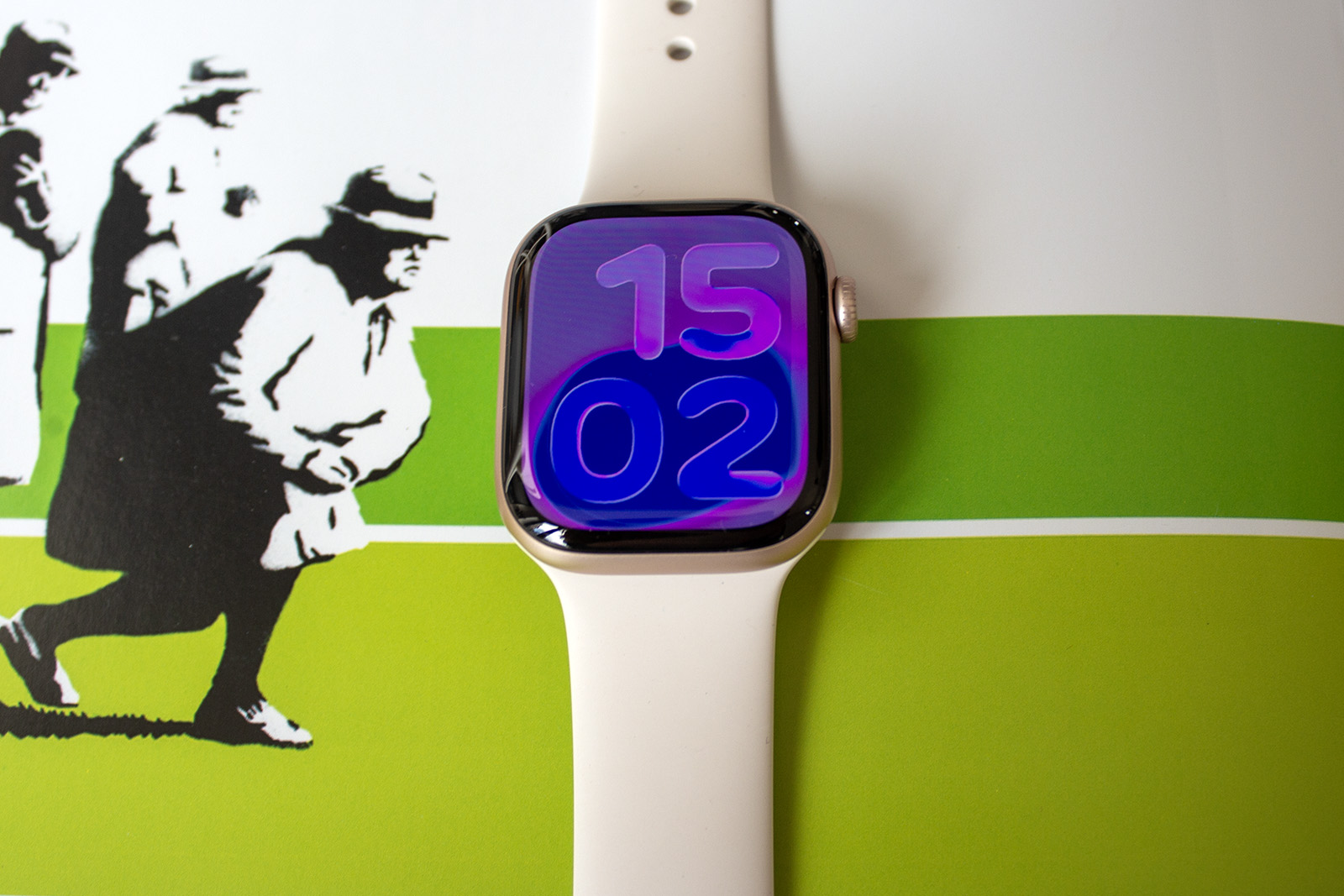
The first thing I am going to say about the Apple Watch Series 11 is the same thing I said about the Apple Watch Series 10 – the design is lovely. It’s slim, unobtrusive and very comfortable to wear. I reviewed the titanium model of the Watch Series 10 last year and while I still prefer that finish overall, mainly because it looks better with all clothing except gym leggings, the aluminium Series 11 is very light and for its price, the better buy.
The display on the aluminium models is said to have better scratch resistance this year too and while that’s difficult to test without scraping it on a wall on purpose (which I’m sorry to say I won’t be doing), my review model is currently sitting on my wrist unscathed. The rest of the display is no different to the Series 10, but that’s no bad thing. Colours are bright and punchy, viewing angles are good and it does a great job of making use of the space available.


IMAGE CREDIT: THE DISCONNEKT
Beauty is skin deep though and thankfully, the Apple Watch Series 11 packs plenty of features within its pretty exterior. Fitness tracking is accurate, as it has been on previous iterations of Apple’s smartwatch, while health features are available in abundance. I’ll talk a little more about the features a bit further down this review but there’s not a huge amount you could want for.
Fitness and health features aside, and it’s the every day features that make the Apple Watch so recommendable to iPhone users. I can’t tell you how many times a day I press the button to ping my iPhone and be directed to it on the screen. Apple Pay on Watch is another favourite of mine and I use the gestures like Double Tap and Wrist Flick more than I’d care to admit. I thought they were pointless at first but Double Tap is very handy when I am out for a dog walk and only have one hand, while there’s something rather satisfying about flicking your wrist to reject a call.
“
The Apple Watch Series 11 is packed with features and while many of those are the same as last year’s Series 10, there is a new one that has been added to the mix.
The last thing I am going to mention here before I move onto some of the things I think the Watch Series 11 could improve on, is battery life. It’s still only a day but it’s six more hours than it was on the Series 10, which has meant I can use it all day, track my sleep with it and then charge it in the morning, rather than having to charge it before I sleep. It might seem minor, but I’ll welcome any battery improvements with open arms.
What the Apple Watch Series 11 could do better
Ok, let’s talk about a couple of the things you may want to consider before you rush out and buy the Apple Watch Series 1l. The biggest consideration is that it really is very similar to the Apple Watch Series 10. You get a better battery life, 5G connectivity if you’re opting for the Wi-Fi & Cellular model and more durable glass on the aluminium model. You also get Hypertensive Notifications, which I’ll talk about in a minute, and a new Space Grey colour option. That’s pretty much it as other features like Workout Buddy, Sleep Score and the Wrist Flick gesture are available on some of the older Apple Watch models.
Elsewhere, I think Sleep Score could do with pulling in a little more data than it currently does for a more holistic view of your sleep. My Oura Ring 4, for example, takes into account things like latency (the time it takes to fall asleep) and sleep efficiency, as well as restfulness, REM sleep, deep sleep, timing and total sleep. I’ve been using Oura for a year and my sleep score average is 82. My Apple Watch Sleep Score, meanwhile, which measures duration, bedtime and interruptions, have been over 90, with many over 95. I’m all for positivity but while I do sleep well, a score of 99 seems high.


IMAGE CREDIT: THE DISCONNEKT
On that note, the Apple Watch Series 11 also lacks a daily readiness score or energy score. I’ve been saying for years that I’d love Apple Watch to offer this, or at least a recovery feature like Garmin’s Body Battery but alas, no such luck yet. It’s not a huge deal, but it is something missing compared to the likes of Oura, Samsung, Google and Fitbit.
As Sleep Score is available on all Apple Watch models running watchOS 26 however, there’s a chance that should Apple ever introduce a recovery feature or some form of daily score, this Apple Watch would get it with a software update so I’ll continue to keep my fingers crossed for that.
Apple Watch Series 11 features
I mentioned the Apple Watch Series 11 is packed with features and while many of those are the same as last year’s Series 10, there is a new one that has been added to the mix. Hypertension Notifications is available on the Watch Series 11 and the Watch Ultra 3 and it uses an algorithm to analyse your heart rate data over 30 days and alert you if signs of chronically high blood pressure are detected. It’s important to note that the Watch Series 11 can’t take your blood pressure like some other smartwatches, but rather simply notify you if it thinks you could possibly have high blood pressure.
I never got a notification during my testing period, which I’ll be honest, I am thrilled about, but I think it’s an important feature to offer, much like Sleep Apnea. Anything that can help highlight a potential health issue gets a tick in my book, especially if it can help save lives.

IMAGE CREDIT: THE DISCONNEKT
The Hypertensive Notifications sit alongside existing Apple Watch features like Fall Detection, Crash Detection, Emergency SOS and Check In. There are also some new features with watchOS 26 including Workout Buddy that sees a generative voice give you a little motivation at specific milestones during a workout, such as every kilometre on a walk. Wrist Flick is also a watchOS 26 feature for some compatible models, allowing you to dismiss notifications by flicking your wrist away from you.
For the Apple Watch Series 11 specifically, I mentioned the new smartwatch also offers 5G connectivity if you opt for a Wi-Fi & Cellular model. That’s helpful if you are planning to head out without your iPhone on a regular basis and make calls with your Apple Watch, but I suspect it’s unlikely to be the sole reason to upgrade.


IMAGE CREDIT: THE DISCONNEKT
Should you buy the Apple Watch Series 11?
The Apple Watch Series 11 is another excellent smartwatch from Apple, offering a lovely slim and comfortable design, an improved battery life and a superb set of health and fitness features. I wouldn’t hesitate to recommend it to anyone that is coming to Apple Watch for the first time, or upgrading from an older model like the Series 8 or earlier.
Where I would hesitate to recommend it is if you have an Apple Watch Series 10 (or the Watch Series 9 to some degree). There are just not enough differences to warrant the upgrade this time around and you’d be better off waiting to see what the Watch Series 12 brings.
With a £30 cheaper starting price than the Series 10 though, and the extra couple of features you get on top of that model, if you didn’t buy the Series 10 then you’re onto a winner.
IMAGE CREDIT: THE DISCONNEKT
FAQs
The Apple Watch Series 11 starts at £369 for the 42mm aluminium, GPS-only model.
No you cannot. The Apple Watch Series 11 is only compatible with iPhones.
The main new features are Hypertension Notifications and improved battery life. While Sleep Score, Wrist Flick, and Workout Buddy are also new, they are available on some older models including the Series 9 and Series 10. Sleep Score is available on all Apple Watch models running watchOS 26.