Apple’s annual Worldwide Developer Conference, fondly known as WWDC, consistently serves as the company’s grand reveal for the software enhancements destined for its device lineup from iPhone through to Mac.
This year, Apple has simplified its software names, aligning each version with the calendar year they will be most prevalent rather than the number version they are on. The shift means the next generation of macOS, set to arrive this “fall,” will be called macOS 26, joining iOS 26 for iPhone, iPadOS 26 for iPad, watchOS 26 for Apple Watch, and visionOS 26 for Vision Pro.
Mac has always had a little extra in its software name however, starting with big cats back in the day and more recently opting for places in California. The new macOS 26 software’s full name is therefore macOS 26 Tahoe this year, following on from macOS Sequoia. Here are all the features it will bring to your Mac and which models that will be compatible.
What new features will macOS 26 Tahoe bring to Mac?
A new look
It’s not just naming that has been unified across Apple’s software this year – the design has too. All devices running the new software builds will feature something called Liquid Glass, which takes from Vision Pro to offer more translucent menus, system buttons, controls and navigation.

IMAGE CREDIT: APPLE
As such, Macs running macOS 26 Tahoe will have a new look with elements like widgets, the Control Centre, the menu bar and app icons featuring a more transparent design overlayed on top of content.
Control Centre
Along with the new Liquid Glass transparent design, the Control Centre will also be more customisable with macOS 26 Tahoe and look more like iPad and iPhone. You will be able to move the controls and layout around, as well as add control from third party apps like Zoom.
Coloured folders
Apple announced you would be able to change the colour of folders with macOS 26 Tahoe, which might sound small, but I am probably as excited for this as I am about the option to adjust your snooze time on iPhone with iOS 26.

IMAGE CREDIT: APPLE
Continuity
Continuity is one of Mac’s best assets for Apple users, allowing you to do things like copy and paste directly from Mac to iPhone and vice versa, among plenty of other convenient features. With macOS 26 Tahoe, Continuity is expanding to offer Live Activities on Mac so if you order a take away through Uber Eats on iPhone, the Live Activity will appear on your Mac screen.
There’s also a Phone app coming to Mac with macOS 26 Tahoe so you can access recent calls and contacts from iPhone, as well as benefit from new Phone features including Call Screening for unwanted calls and Hold Assist to keep your spot in line when you’re put on hold.
Spotlight
Spotlight is one of the features I used most on my MacBook Pro (M4) and macOS 26 Tahoe is bringing the biggest update ever to the handy search bar. It will allow you to perform multiple actions directly from Spotlight, such as sending a message to a contact without leaving the search bar.
The search bar will appear as normal with the CMD+Space keyboard shortcut, but a tap on the right will pull up extra icons including Apps, Actions and Clipboard. Apps will replace Launch Pad and will be arranged by type of apps by default but you can also choose to organise it A-Z.

IMAGE CREDIT: APPLE
Actions is where you can perform the quick actions like sending a message or printing a document with actions appearing in a long list below the search bar and a button on the right of each action offering an option to create a keyboard shortcut. For example, you could do “pr” for print.
Clipboard meanwhile, gives you access to all the items on your clipboard from the last 8 hours.
Shortcuts
Shortcuts is quite a complicated app but macOS 26 Tahoe should make it a little simpler. The new software will enable you to run shortcuts automatically, such as at a specific time of the day. For example, you could get Shortcuts to split your screen between Notes and Keynote, or save a file to a particular folder.
Apple Intelligence will also play a role in Shortcuts, allowing you to do things like summarise text, create images, and provide responses. For example, you could create a Shortcut to compare notes in a Note you have created and a Transcription you have recorded to see if anything is missing in your note based on the transcription.
Journal
Journal comes to Mac with macOS 26 Tahoe, allowing you to capture and write about everyday moments – something that launched on iPhone in 2023.
Photos
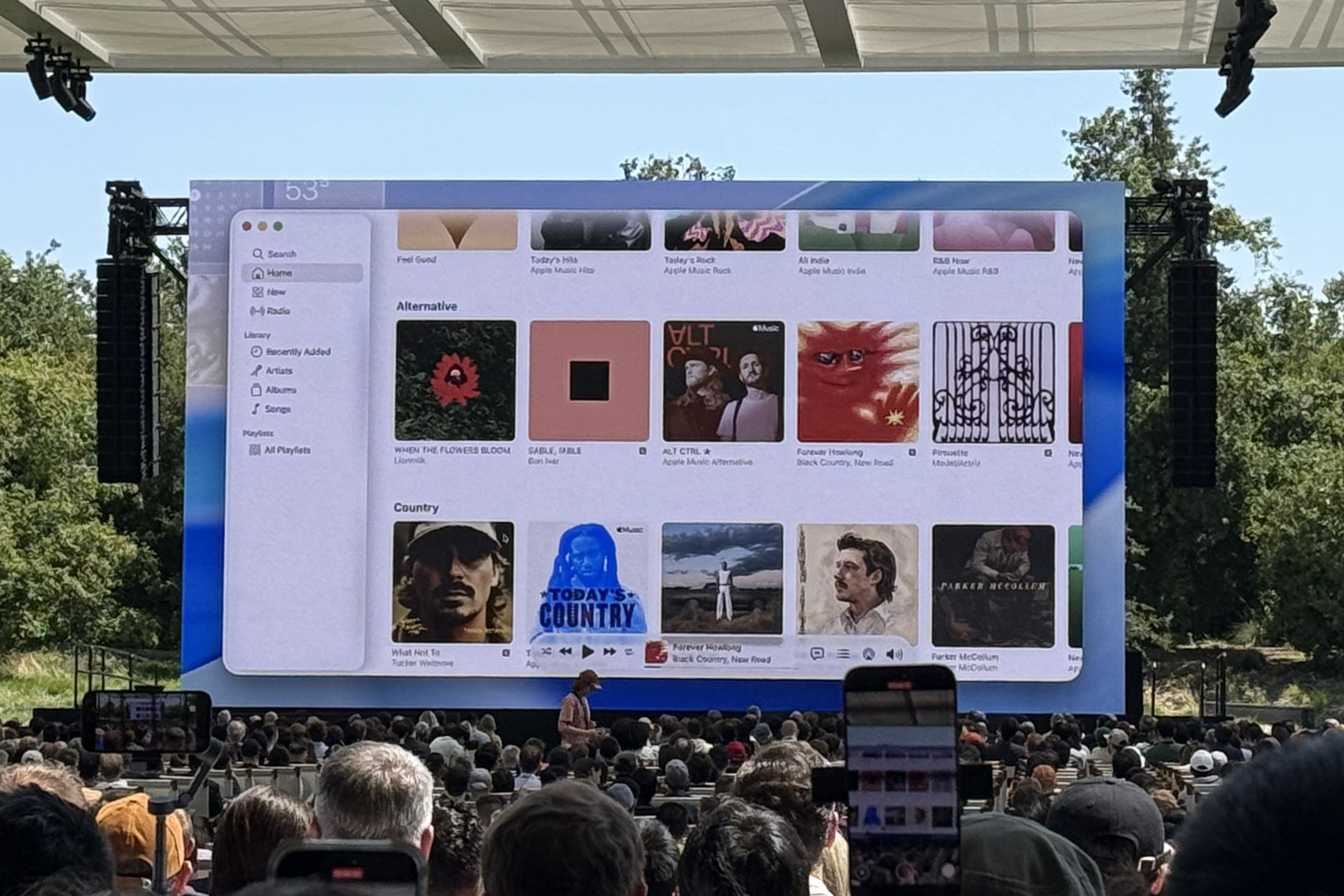
The Photos app has an updated design with macOS 26 Tahoe with filtering and sorting options, and the ability to customise the size of Collection tiles so you can see your photos exactly how you want to. There are also Pinned Collections so you can see the collections you look at most quickly.

IMAGE CREDIT: THE DISCONNEKT
Games app
There’s a new Games app on iPhone, iPad and Mac with the new software releases. For Mac specifically, macOS 26 Tahoe brings Game Overlay where you can adjust system settings, chat with friends, or invite them to play, without leaving the game.
Messages
Messages has gained a number of new features with iOS 26, iPadOS 26 and macOS 26 Tahoe. You will be able to create polls, as well as personalise conversations with different backgrounds. Typing indicators are also coming to group chats and there’s also Live Translation for messages that aren’t in your native language.

IMAGE CREDIT: THE DISCONNEKT
When will macOS 26 Tahoe come out?
Apple has only said that macOS 26 Tahoe will come out later “this fall”, though it hasn’t yet specified exactly when that will be. In the past, macOS has arrived slightly later than the iOS and iPadOS final software but for 2024, all the software was released at the same time in mid-September.
At the moment, it’s not known exactly when the final macOS 26 Tahoe software will arrive, but the developer beta is out now, and a public beta will be available in July so if you want to try the new features, you can sign up to the beta.
Which Macs will be compatible with macOS 26 Tahoe?
This version of macOS will be the last one to support Intel-based Macs so that’s worth keeping in mind. For macOS 26 Tahoe, that means the following Mac models will run the new software and be able to access most of the new features. You will need a Mac running Apple Silicon if you want to use the Apple Intelligence-based features however.
- MacBook Air with Apple silicon (2020 and later)
- MacBook Pro with Apple silicon (2020 and later)
- MacBook Pro (16‑inch, 2019)
- MacBook Pro (13‑inch, 2020, Four Thunderbolt 3 ports)
- iMac (2020 and later)
- Mac mini (2020 and later)
- Mac Studio (2022 and later)
- Mac Pro (2019 and later)