There was a lot announced at Apple’s Worldwide Developer Conference this year and while there was no new hardware, there were arguably several things more exciting. First up, nestled into the details of the new features coming to iPad, iPhone, Mac and Apple Watch later this year was Apple Intelligence – the company’s take on artificial intelligence.
But there was another announcement that was particularly exciting for those of us in the UK (and several other countries and regions) in that Vision Pro will finally soon be available to buy, and I can tell you now that is something to be get enthusiastic about.
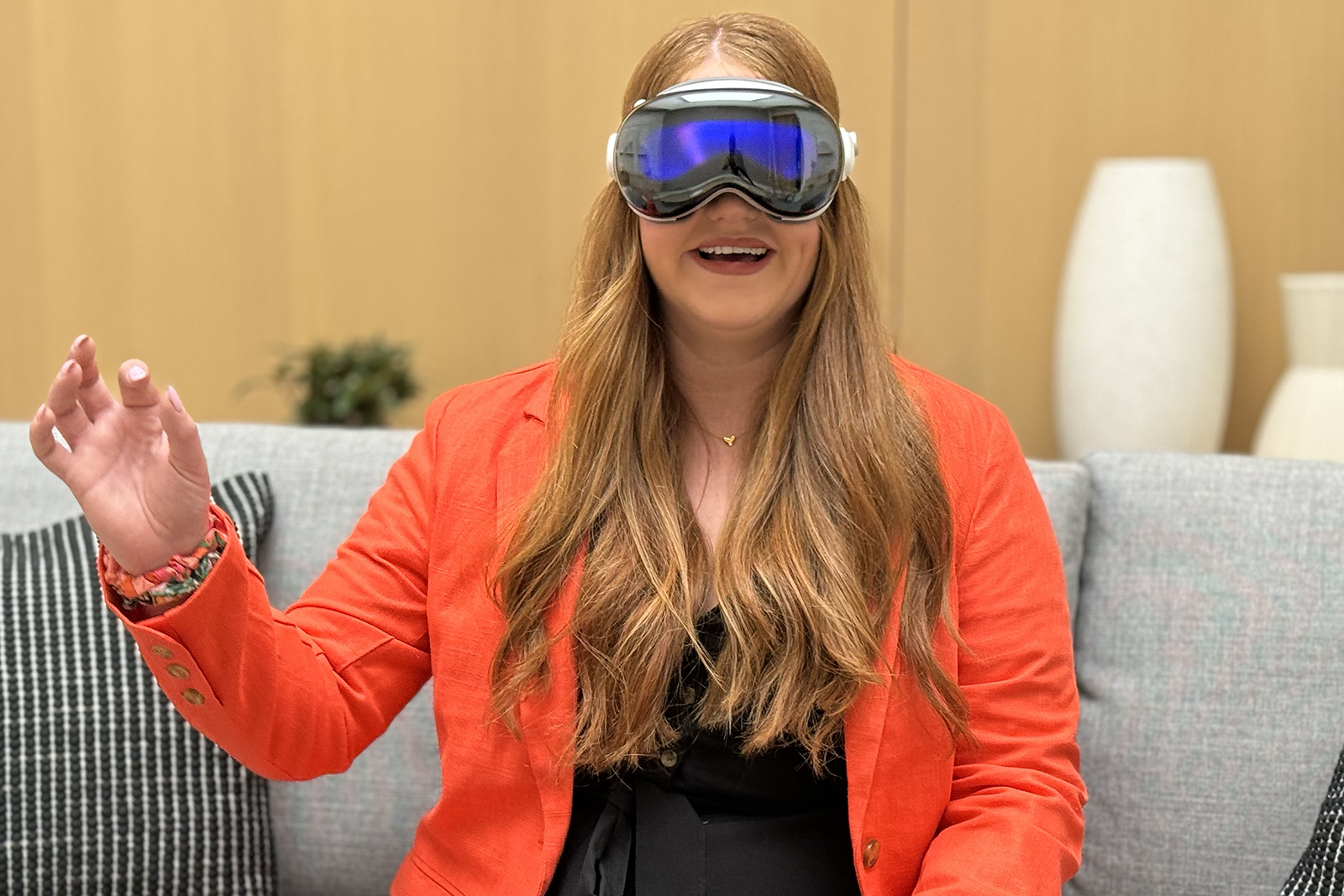
I was one of the first journalists in the world to try Vision Pro after it was announced as the ‘one more thing’ during WWDC in 2023, and it was probably the first piece of technology to leave me speechless (trust me when I say that is a hard thing to do). I thought then, I’d be more prepared when I went into the demo this year given I had already tried it. But I was mistaken as yet again, my jaw was on the floor for the majority of my 30 minute experience.
What to expect from Vision Pro
Apple’s Vision Pro has been available to buy in the US since February of this year so if you are interested in it, there’s a good chance you may have already read the reviews from the US press. If you are considering spending this amount of money on a device, you really should make sure it is right for you and will deliver what you expect.

IMAGE CREDIT: APPLE
So what should you expect? Well, it’s an Apple product so it should come as no real surprise there’s a premium build quality here. From the glass at the front backed by aluminium, to the material headband, this thing oozes quality.
There’s a dial on the right towards the back of the headband that tightens things up and helps relieve some of the weight with a secure fit, while a Digital Crown mimicking the Apple Watch sits at the top on the right. On the left at the top, there is a capture button, again not too dissimilar from the side button on Apple Watch.
“
It takes a little bit of time to get used to the fact you only have to look at things for them to react on the screen, but once you get the hang of it, magic happens.
I completed a face scan before my demo, which allowed for a personalised fit. This is something you too will experience if you book a demo or buy the Vision Pro. I only wore the Solo Knit Band for my demo this year, but when I first tried the Vision Pro in 2023, I had the Dual Loop Band on, which helps with weight distribution by strapping across the top of your head. For 30 minutes, the Solo Knit Band (the chunky ridged material one) on its own is no problem but for extended wear, the Dual Loop Band will likely help with comfort.

IMAGE CREDIT: THE DISCONNEKT
When you first put the Vision Pro on your head, you will press and the Digital Crown to centre the displays to your eyes. The VisionOS interface will then kick in, with a familiar ‘Hello’ appearing on across the huge screen.
Following another Digital Crown press, I began a quick setup for eyes and hands, which involved me holding out my hands to match the hands on the screen and looking at dots within a circle with my eyes and tapping, repeating the same procedure in three different lighting environments. It’s a matter of minutes to get setup and while it takes a little bit of time to get used to the fact you only have to look at things for them to react on the screen, once you get the hang of it, magic happens.
Nothing can prepare you
There are a range of exceptionally impressive elements in Vision Pro and frankly, if you ignore how much it costs, it really will blow you away. The Home View that appears at the press of the Digital Crown is very familiar so for those who use Apple devices, you will feel right at home with this thing strapped to your head.

IMAGE CREDIT: APPLE
It’s not alien to those who don’t use Apple devices though, and that’s perhaps one of Vision Pro’s biggest attributes – it is very simple to use and operate once you get used to the three main gestures and the use of your eyes. You just look at what you want to interact with, whether that’s opening an app, closing an app or entering the Environments mode. When you see the icon pop, you tap your forefinger and thumb together to select. Your hands can be in your lap so you don’t have to hold them up, unless you’re swiping up and down, which you do by moving your hand up and down. You can also zoom in and out by moving your hands closer together or further apart – a little like you’re tying shoelaces – and everything is very natural and responsive.

IMAGE CREDIT: APPLE
During my demo this year, I saw yet another small glimpse of what Vision Pro is capable of. From standing at a desk using a Magic Keyboard and Magic Trackpad to drag and drop between Keynote and Messages and retitling a presentation that I then practiced in an immersive environment (Steve Jobs Theater), to watching Kung Fu Panda in 3D. There’s so much potential for transforming everyday experiences into something extraordinary.
Looking at photos is wonderful – even when you don’t know the people in them – and watching a spatial video of a child (not mine) blowing out their birthday cake candles managed to reduce me to tears. Again. Despite this being a different child and a different birthday than the similar spatial video I saw last year. The depth and clarity in spatial video is exceptional, and I can see how wonderful it could be for someone watching a video of loved ones on the other side of the world.
Four Apple Vision Pro specs
2,000
Apps
There are over 2,000 apps built for Vision Pro, more than 1.5 million compatible iPad apps, as well as apps on Mac with Mac Virtual Display.
23
Million Pixels
The Micro-OLED display offers 23 million pixels, the equivalent of a 4K TV in each eye. It supports 90Hz, 96Hz, 100Hz refresh rates.
650
Grams
The weight of Vision Pro varies depending on Light Seal and head band configuration but it is up to 650g. The battery weighs 353g.
2
Hours
Vision Pro offers up to 2 hours of general use and up to 2.5 hours of video watching. You can use it while charging.
Panoramic shots are fabulous on the Vision Pro – you honestly do feel like you’re in the photo. For this demo I saw shots of Redwoods and Iceland and I have been to Iceland and I felt like I had returned when the image of the waterfall surrounded me on the 8K screen in front of my face. The Environments are excellent too – I can definitely recommend Haleakalā in Maui – while the night sky and all the stars surrounding you is such a sight to behold, I didn’t want to turn the Digital Crown to bring me back to reality.

IMAGE CREDIT: APPLE
I also browsed Safari during my demo, pinching in and out to move between one tab and viewing all my tabs, and I watched five games of NBA basketball all at the same time. Honestly, that’s quite impressive for me, I struggle to follow one game. When it comes to sport however, there is something very special about Vision Pro and it might be my favourite part of the entire device. It can show you views you’d never see on a traditional TV or in real life, from behind the basketball hoop to in the middle of a celebration of footballers at the end of a game. It offers a totally different perspective, and it’s fabulous.

IMAGE CREDIT: APPLE
But, the element that blew me away for the second time running was yet again, Apple’s Immersive Video. Honestly, this is actually something I struggled to put into words the first time I wrote about it and that applies again. This format leverages 3D 8K video with a 180-degree field of view and Spatial Audio to transport you to the centre of the action, whether that’s a tight rope several thousand feet in the air, or underwater with sharks. It is phenomenally realistic, scary and utterly incredible all at the same time. You will gasp, you will hold your breath and your jaw will hit the floor.
VisionOS
Apple Vision Pro runs on visionOS, and just like iPadOS, watchOS, macOS and iOS all got new features at WWDC, so too did visionOS. Probably the most exciting is that you will be able to take any photo from your existing library and transform them into spatial photos with visionOS 2. It means your memories can be brought to life and I will be able to see my own photos from Iceland rather than just Apple’s.

IMAGE CREDIT: APPLE
Other features coming with visionOS 2 include the ability to trim videos in the photo library, edit spatial videos with Final Cut Pro and customise your Home View. There are new environments – like Bora Bora – and when you’re immersed in an Environment, visionOS 2 will still recognise and reveal your Magic Keyboard or MacBook keyboard so you can keep typing on the beach.
There are new gestures coming for easier navigation too (even though it’s already pretty simple) and perhaps most exciting for productivity is Mac Virtual Display. Pop that on and you get panoramic productivity with an ultra wide screen that wraps around you giving you the equivalent of two 4K displays side by side.

IMAGE CREDIT: THE DISCONNEKT
Elsewhere on visionOS 2 updates, there is a Guest Mode coming so a friend can try your Vision Pro out, and there’s a Travel Mode too so you can look like the, erm, coolest (?) person on the train.
Vision Pro UK pricing and availability
Apple Vision Pro will be available to pre-order in China mainland, Hong Kong, Japan, and Singapore from 13 June, hitting shelves on 28 June. For those in the UK, Australia, Canada, France and Germany, you’ll be able to pre-order from 28 June with availability from 12 July.
The Vision Pro will start at £3,499, with 256GB, 512GB, and 1TB storage capacities available. For users who require vision correction, Apple partnered with Zeiss to develop Zeiss Optical Inserts that magnetically attach to Apple Vision Pro. Readers will be available for £99 and Zeiss Optical Inserts Prescription will be available for £149.